


Burp Suite is a powerful tool used for web application penetration testing. It provides a comprehensive framework for identifying and exploiting vulnerabilities in web applications. By simulating real-world attacks, Burp Suite allows security professionals to uncover potential weaknesses before malicious hackers do.
The primary goal of penetration testing is to ensure the security of web applications. With the ever-increasing number of cyber threats, it is essential to proactively identify and address vulnerabilities. Burp Suite offers a range of features such as scanning, intercepting network traffic, and modifying requests and responses, which make it an indispensable tool for ethical hackers and security professionals latoto.
Burp Suite helps security experts assess the security posture of web applications by identifying common vulnerabilities, including injection attacks, cross-site scripting (XSS), and SQL injections. By exposing these vulnerabilities, developers can patch them, thus preventing potential breaches and safeguarding sensitive user data.
To get started with using Burp Suite for penetration testing, you need to set up Kali Linux, a popular Linux distribution for ethical hacking and penetration testing.
Setting up Kali Linux for web application penetration testing
Setting up Kali Linux is the first step towards conducting comprehensive web application penetration testing. Kali Linux is a specialized operating system that comes pre-installed with a wide range of tools, including Burp Suite.
To set up Kali Linux, you’ll need to download the ISO image from the official Kali Linux website and create a bootable USB drive. Once you have the bootable USB drive, you can start the installation process by booting from it.
During the installation, you’ll be prompted to select a network mirror and configure your timezone and keyboard layout. It is crucial to choose a network mirror close to your location to ensure fast and reliable package downloads.
After the installation is complete, you’ll need to update the system and install the necessary dependencies for Burp Suite. Open the terminal and run the following commands:
sudo apt update sudo apt upgrade sudo apt install default-jre
With Kali Linux set up, you can now proceed to install and configure Burp Suite.
Installing and configuring Burp Suite on Kali Linux
Installing Burp Suite on Kali Linux is a straightforward process. The first step is to download the latest version of Burp Suite from the PortSwigger website. Burp Suite is available in both free and paid versions, with the paid version offering additional features and capabilities.
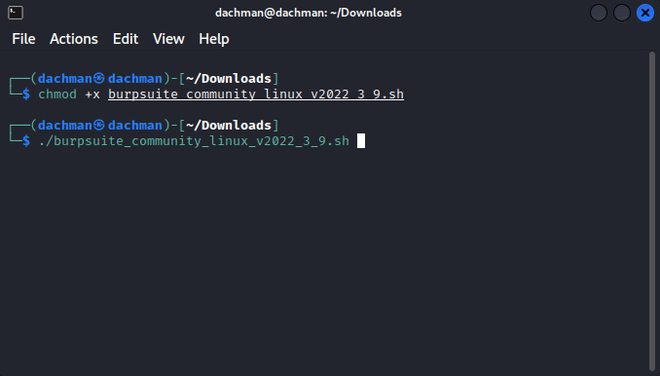
Once you have downloaded the installer, navigate to the directory where the installer is located using the terminal and run the following command to make it executable:
chmod +x burp-suite-installer.sh
Next, run the installer using the following command:
./burp-suite-installer.sh
The installer will guide you through the installation process, allowing you to choose the installation directory and create shortcuts for easy access. Once the installation is complete, you can launch Burp Suite by executing the burpsuite command in the terminal.
Upon launching Burp Suite for the first time, you’ll be prompted to configure the proxy settings. Burp Suite acts as a proxy between your browser and the target web application, allowing you to intercept and modify requests and responses. Configure your browser to use Burp Suite as a proxy by setting the proxy IP address and port.
With Burp Suite successfully installed and configured, let’s explore its different modules and features.
Understanding the different modules and features of Burp Suite
Burp Suite consists of several modules, each serving a specific purpose in the web application penetration testing process. Understanding these modules and their features is crucial to effectively leverage Burp Suite for identifying and exploiting vulnerabilities.
- Proxy: The Proxy module acts as an intermediary between the client and the server, allowing you to intercept and modify HTTP and HTTPS requests and responses. It enables you to analyze and manipulate web traffic, making it a powerful tool for identifying vulnerabilities.
- Repeater: The Repeater module allows you to manipulate and reissue individual requests, making it ideal for testing specific vulnerabilities. It provides a user-friendly interface for modifying request parameters, headers, and payloads, enabling you to test different attack vectors.
- Scanner: The Scanner module automates the process of identifying common web application vulnerabilities. It analyzes the target web application for issues such as SQL injections, cross-site scripting, and insecure direct object references. The Scanner module saves time by automatically identifying potential vulnerabilities, allowing you to focus on manual testing.
- Intruder: The Intruder module is used for performing brute-force attacks and fuzzing. It allows you to automate the process of testing multiple payloads against a specific parameter, enabling you to identify vulnerabilities that may not be apparent during manual testing.
- Spider: The Spider module is responsible for crawling the target web application and discovering new pages and functionality. By exploring the web application, it helps you identify hidden or unprotected areas that may contain vulnerabilities.
- Sequencer: The Sequencer module analyzes the quality of randomness in tokens, session cookies, and other security-critical values. By examining the strength of these values, it helps you assess the effectiveness of security mechanisms such as session management and anti-CSRF tokens.
These modules, along with other features such as the Burp Collaborator, allow you to conduct comprehensive penetration tests on web applications. Now that we have a good understanding of Burp Suite’s modules and features, let’s dive into scanning and identifying vulnerabilities in web applications using Burp Suite.
Scanning and identifying vulnerabilities in web applications with Burp Suite
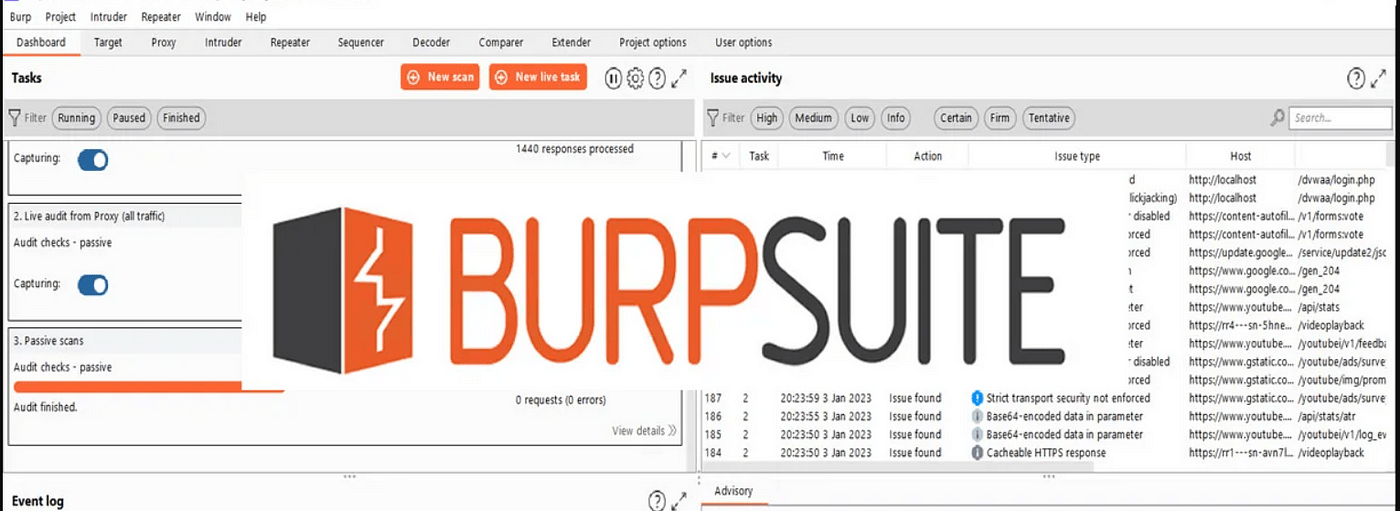
One of the primary purposes of using Burp Suite is to scan web applications for vulnerabilities. Burp Suite provides a range of scanning functionalities that help you identify common vulnerabilities and security flaws.
The Scanner module in Burp Suite performs automated scanning of web applications, identifying potential vulnerabilities such as SQL injections, cross-site scripting, and insecure direct object references. It analyzes the responses received from the target web application, looking for patterns that indicate a vulnerability.
To start a scan, navigate to the Target tab within Burp Suite, enter the URL of the web application you want to scan, and click on the “Add to Scope” button. This ensures that the target is added to the scanning scope.
Next, switch to the Scanner tab, select the desired scanning options, and click on the “Start scan” button. Burp Suite will now start scanning the target web application for vulnerabilities.
During the scanning process, Burp Suite sends various requests to the target web application, analyzing the responses for potential vulnerabilities. It also performs additional tests, such as active and passive scanning, to ensure comprehensive coverage.
Once the scan is complete, Burp Suite presents a detailed report highlighting the identified vulnerabilities. The report provides information about the vulnerability, its severity, and recommendations for remediation. You can export the report in various formats, making it easy to share with stakeholders and developers.
In addition to the Scanner module, Burp Suite also allows manual testing of specific vulnerabilities using the Repeater and Intruder modules. These modules provide a user-friendly interface for manipulating requests and payloads, enabling you to test different attack vectors.
By combining automated scanning with manual testing, you can ensure that your web applications are thoroughly tested for vulnerabilities. Now that we know how to identify vulnerabilities, let’s explore how to exploit and validate them using Burp Suite’s attack functionalities.
Exploiting and validating vulnerabilities using Burp Suite’s attack functionalities
Identifying vulnerabilities is only the first step in the penetration testing process. Once vulnerabilities are identified, they need to be exploited and validated to determine their impact and severity.
Burp Suite provides a range of attack functionalities that help you exploit and validate vulnerabilities in web applications. These attack functionalities allow you to simulate real-world attacks and assess the effectiveness of security controls.
The Repeater module in Burp Suite is particularly useful for validating vulnerabilities. It allows you to modify individual requests and reissue them, enabling you to test different attack vectors and payloads.
To exploit a vulnerability using the Repeater module, select the request related to the vulnerability and click on the “Send to Repeater” button. This will open the request in the Repeater module, where you can modify parameters, headers, and payloads.
By modifying the request, you can test different attack vectors and payloads to determine the impact of the vulnerability. For example, if you have identified a SQL injection vulnerability, you can test different SQL statements to extract sensitive data or manipulate the database.
The Intruder module in Burp Suite is another powerful tool for validating vulnerabilities. It allows you to automate the process of testing multiple payloads against a specific parameter, enabling you to identify vulnerabilities that may not be apparent during manual testing.
To use the Intruder module, select the request related to the vulnerability and click on the “Send to Intruder” button. This will open the request in the Intruder module, where you can configure the attack type, payloads, and other options.
By configuring the attack type and payloads, you can test different attack vectors and variations to determine the impact of the vulnerability. The Intruder module provides detailed feedback on the responses received, making it easy to identify successful attacks and their consequences.
By combining the Repeater and Intruder modules, you can effectively exploit and validate vulnerabilities in web applications. However, it is crucial to ensure that these attacks are performed in a controlled and ethical manner.